Last Updated on September 2, 2026 by Umar Farooq
If water is high or still rising in your machine right now, shut off both water supply valves behind it before you read anything else on this page. Nothing here outranks that. If the shut-off turns out to have been unnecessary, you lost a minute.
An OC or OE error means the washer’s level sensor has detected more water in the tub than the selected cycle calls for, so the machine has stopped and activated the drain pump in response. Samsung’s regional page describes exactly that behaviour, though it prints the pair as OE/OF rather than OC: the error “occurs when the level sensor detects more water than needed for the selected cycle, causing the machine to stop and activate the drain pump” (overflow error on Samsung washing machine). The pump running on its own is not a second fault appearing. It is the designed reaction to the first one, and it is the only part of this situation the machine can do anything about by itself.
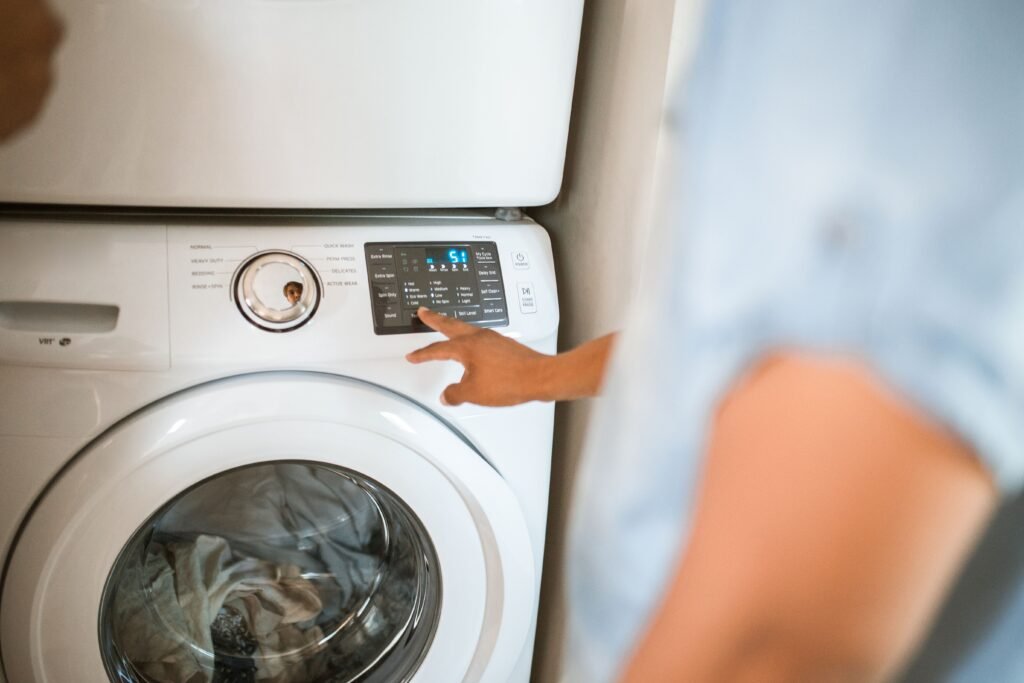
The next thing to do is stop squinting at the display. Samsung’s own code list groups OE, 0E, OC, 0C, 1 OC and 1 0C together as a single family, which means the letter O and the number zero are not two different faults here — they are the same fault rendered by two different panel fonts (Samsung washing machine information and error codes). On most washer displays the two characters are close enough to identical that choosing between them is guesswork, and the answer would change nothing you do next. Samsung’s wording for the whole row is one sentence: “There is too much water in the washer.”
That sentence is doing more work than it looks. Too much water is a level, not a cause, and a level can go wrong from either end — water arriving faster than the cycle asked for, or water leaving more slowly than the cycle expected. Those are genuinely different repairs, an inlet valve or level sensor on one side and a restricted drain path on the other, and the code does not distinguish between them because the sensor cannot. It reads a number. That is why the checks below work both ends of the water path instead of assuming a stuck valve.
If you have no code at all and the machine simply will not stop filling, washing machine keeps filling is the symptom-level version of the same problem. If your display actually reads 5C or 5E, that is Samsung’s separate no-drain family, and Samsung washer 5C or 5E error is the right page.
What Samsung washer OC or OE overflow error means on supported models
On supported models, OC, OE, OF, and E3 are all used for the same underlying overflow condition, with the exact characters shown depending on the model. Whichever variant you have, the machine reached a water level it was not expecting and stopped rather than keep filling a tub it had already decided was too full. That is a protective decision made on a sensor reading, which matters for one specific reason: a sensor reading can be wrong. The code is the machine’s conclusion, not a measurement you have verified.
Samsung’s guidance lists four documented causes: excessive detergent or fabric softener creating enough foam to interfere with an accurate water-level reading, a clogged drain hose or filter, an improperly installed or kinked drain hose, and a faulty water inlet valve or pressure sensor sending inaccurate readings to the control board. Notice how those sort. Three of the four sit outside the sealed machine, cost nothing to check, and are things you can correct yourself in an afternoon. Only the fourth involves buying a part, and it is the one most people reach for first.
It is also worth knowing what this code is not. Samsung keeps a separate family for over-sudsing — SUd and its variants, “The washer has detected an over-sudsing condition” — and another for moisture found where it doesn’t belong, which is where 1E, LE, 1C and LC live. Detergent still matters on this page, but for a different reason than it does on that one: foam here is not the reported fault, it is what makes the level reading unreliable. If your display genuinely shows a suds code instead, Samsung washer Sud or 5d error covers that separately.
Normal behavior vs. an actual fault
Very little about this code qualifies as normal, and it is not meant to. An overflow detection is a stop-everything event by design, so the useful distinction is not “fault or not” but “one-off or repeating.” A single occurrence tied to something identifiable — noticeably more detergent than usual, or a drain hose knocked out of position while you were cleaning behind the machine — that clears once corrected and does not return on a fair follow-up test was an event, not a failure. A genuine fault looks like the code returning on normal loads with correct detergent use, or any actual overflow you witness rather than a code you merely read.
Confirm the exact model, display, and code variant before troubleshooting
The code tells you what the machine concluded. Where in the cycle it stopped tells you what actually happened, and when the two disagree, trust the stage. An OC thrown during fill points somewhere quite different from one thrown midway through a wash that filled normally, even though the display reads identically in both cases. Write down what was happening at the moment it stopped — that detail costs nothing now and cannot be reconstructed later.
Collect the following before you test anything. It decides which of the checks below apply to your machine, and it is exactly what a technician will ask for if this escalates past the point where you can resolve it yourself.
- Model number, on a label at the door frame (front-load) or under the lid edge (top-load).
- Form factor: front-load or top-load.
- The exact code shown — OC, OE, OF, or E3 specifically — confirmed against Samsung’s official error code and blinking-light reference for your model if you are not certain which family your washer uses (Samsung washing machine information and error codes).
- Exact cycle stage when the code appeared — during fill, partway through wash, or at some other point.
- Load condition, and specifically how much detergent or fabric softener went in relative to the load size.
- Water remaining, and whether you saw water actually reach an unusual level or overflow, versus only seeing the code with no visible overfill.
- The result of one controlled test — the checks below are designed to produce exactly that evidence.
Every display variant of this overflow code
Match what your panel shows against Samsung’s own grouping before you troubleshoot anything. The variants look unrelated on a display — 1 0C reads like a code with a prefix rather than the same code again — and if what you are looking at is not in this row, you are on the wrong page (Samsung washing machine information and error codes):
| What your display shows | Samsung’s fault family | What Samsung says it means |
|---|---|---|
OE, 0E, OC, 0C, 1 OC, 1 0C, OF | Overflow | “There is too much water in the washer.” |
You do not need to work out which character you are looking at. Every variant in that row is the same overflow condition and takes the same response, and Samsung’s regional documentation states the condition even more bluntly — water has overflowed. What matters instead is whether the level is still rising, which is what the immediate steps below address.
Complete the user-safe checks in the correct order
The first step here is a safety action rather than a diagnostic one, and the ordering is not a formality. Water plus electricity outranks appliance repair every time: if a machine has overflowed and you cannot tell whether water reached outlets, wiring, or the floor below, you are looking at a water-damage assessment, not a repair job. Deal with the water first, then work out what caused it.
After that, the checks run cheapest and most reversible first. Detergent and the drain path cost nothing to rule out and account for three of Samsung’s four documented causes, which means most readers who work this list in order never reach the point where anything gets bought.
Turn off water supplies immediately
- Shut off both water supply valves behind the washer, especially if water is visibly high or still rising.
- Don’t investigate first. Samsung’s guidance for a washer that fills continuously is direct on this: turn off the water valves, then diagnose (water fill issues with Samsung washing machines).
- Check detergent and fabric softener against the amount recommended for your load size. Excess foam is a documented, self-correcting cause of this code.
- Run a documented drain cycle to clear standing water before continuing.
Check the drain path before you suspect the valve
Two of Samsung’s four documented causes sit on this side, and this is the half of the diagnosis people skip, because the word “overflow” sounds like an inlet problem. It is not necessarily one. Water that cannot leave at the expected rate accumulates just as effectively as water arriving too fast, and the level sensor reports the same number either way. Checking here first also costs nothing, which is more than can be said for the inlet valve most people order.
- Clear the drain pump filter, and check the drain hose along its full length for kinks, crushing, or a blockage.
- Confirm the hose is not pushed too far into the standpipe. Samsung specifies 6 to 8 inches of insertion for its own machines — deeper is a documented installation fault, not a harmless detail.
- If drainage looks sluggish rather than blocked, washing machine drains too slowly covers that pattern; a fully blocked drain belongs on washing machine won’t drain.
Unplug the washer and observe whether water entry stops
This test answers one question cleanly: is the inlet valve being held open electrically, or is it stuck open mechanically? A valve that closes the instant it loses power is doing what it is told, which moves suspicion to whatever is telling it — the pressure sensor, or the control board reading it. A valve that keeps passing water with no power at all has failed mechanically, and no amount of resetting or sensor diagnosis will change that.
- With the supply off, turn the water back on briefly. If water is entering, unplug the washer and watch the inlet for 30 to 60 seconds.
- Water stops the moment power is cut: the valve is under electrical control. Suspect the pressure sensor or control side.
- Water keeps flowing with the washer fully unplugged: mechanically faulty inlet valve, needs replacement. Keep the supply closed except when actively testing.
Stop-use warning: Don’t leave a washer that has triggered this code running unattended, even after you think you have fixed it. If water reaches or pools near any electrical connection, stop and unplug the machine from a dry point.
Separate installation or load causes from component failure
Everything you have done so far exists to answer one question, and it is worth answering out loud before spending money. If the code appeared after a load with heavy detergent, or after a drain hose was kinked or badly installed, and correcting that holds through a fair follow-up test, this was a load or installation cause. The machine was reading the water level correctly and reporting a real condition. Nothing on it has failed, and replacing a sensor would have fixed nothing.
If detergent use is normal, the drain path is confirmed clear, and the unplug test shows the valve responding correctly to power — and the code still returns — the picture has changed. Now the machine is reporting a level the water path does not explain, which points at the pressure sensor, the pressure hose connecting it to the tub, or an inlet valve fault beyond what the unplug test alone can settle. That is a component conclusion reached by elimination rather than assumed at the start, which is the only honest way to arrive at it.
Inspect inlet valve, pressure sensor, pressure hose only after manual validation
Three candidates remain: a pressure sensor sending inaccurate readings, a pinched or disconnected pressure hose that stops the sensor seeing the true water level, or an inlet valve fault the unplug test could not confirm. The pressure hose is worth naming specifically, because it produces a machine that is mechanically fine and still convinced it is full — the sensor works, it simply is not connected to anything meaningful.
Telling those three apart requires disassembly and testing that varies by model, and this is the point to stop. Avoid voltage or resistance figures you find outside Samsung’s own materials for your exact model number; they circulate widely, they are frequently for a different family wearing the same badge, and a wrong reference here means condemning a good part. Given that the failure mode under investigation is the one that puts water on your floor, this is a reasonable place to hand it over.
Clear the code and run a controlled verification cycle
One deliberate test is worth more than three casual loads, so make the first run after any fix a controlled one. Clearing the display is not evidence of anything: as Samsung puts it, a reset can clear stored error codes, but it won’t fix the underlying issue — and it erases the fault history a technician would otherwise have read. Record what the machine was showing before you clear it.
Then run the test below, and stay with the machine for all of it. The entire point is to be standing there if it goes wrong.
- Restore the water supply and start a short cycle with the drum empty and no detergent.
- Watch the fill stage and confirm the washer stops filling at a normal level rather than an excessive one.
- Let the cycle run out and confirm the code does not reappear at any stage.
- Only after a clean run, return to a normal load with the correct detergent dose to confirm the fix holds in everyday use.
If the code comes back — even once, even with less water than before — treat that as new evidence rather than a fluke, and go back to the manual-validation step instead of repeating the same fix harder.
When Samsung washer OC or OE overflow error requires authorized service
The threshold here is lower than for most codes on this site, deliberately. Most diagnoses cost you a wasted afternoon when they go wrong; this one can cost you a floor. If you are unsure at any point whether the cause is genuinely resolved, the correct move is to leave the supply valves closed and get someone in, not to run one more load and watch it.
Stop and contact Samsung support or a qualified technician if any of the following applies:
- Detergent use is confirmed normal, the drain hose and filter are clear, and the unplug test shows the valve responding correctly to power, but the code keeps returning — this points at a pressure sensor or pressure hose fault needing model-specific parts.
- Water continues to flow with the washer completely unplugged — a mechanically stuck inlet valve. Keep the supply closed except during active testing until it is replaced.
- You witnessed an actual overflow rather than a displayed code, and you are not confident the cause is fully resolved.
- Water may have reached outlets, wiring, or the floor below. That is a water-damage assessment before it is an appliance repair.
- Going further would mean testing the pressure sensor or its wiring electrically. That is outside the scope of the checks here.
FAQ for the exact code and model family
Is OC the same error as OE?
Yes. Samsung’s documentation treats OE, OF, OC, and E3 as the same overflow condition, with the characters shown varying by model — and the letter-O and number-zero variants sit in that same group, so there is nothing to decide between them.
My washer keeps filling and won’t stop, but I haven’t seen a code — is that the same issue?
Very likely the same problem caught at an earlier stage, before the level sensor reached the threshold that produces a code. See washing machine keeps filling for the symptom-level diagnosis alongside the code-specific checks here.
My washer isn’t filling with any water at all — is that the opposite issue?
Yes, and it is a different code family entirely. See washing machine not filling with water.
Could a drain problem really cause an overflow code, not just a fill problem?
Yes, and it is the most under-checked half of this diagnosis. Samsung’s documented causes for this code include a clogged or improperly installed drain hose, because water that cannot leave fast enough raises the level exactly as a valve stuck open would. The sensor reports a number; it has no way to say which end caused it. Start with washing machine won’t drain if a restriction looks more likely in your case.
Does too much detergent really trigger an overflow code?
Yes. Foam interferes with how the pressure sensor reads the actual water level, so the machine can report too much water while holding a normal amount of it. That is why detergent quantity is one of the first documented checks for this code rather than a throwaway suggestion — and it is free.
Is it ever safe to keep running the washer while I investigate?
No. Shut the water supply off as soon as the code appears, particularly if the level is visibly high, and don’t run another load until you have worked through the checks and completed one clean verification run.