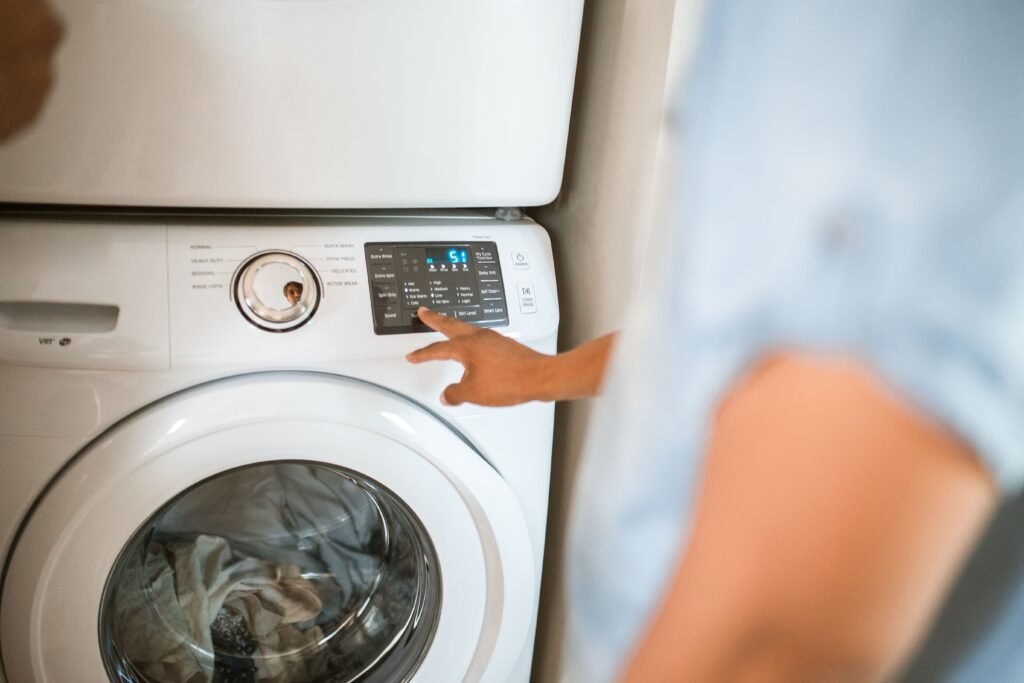
This guide is for a Samsung washer that is completely dead: no lights, no tones, no display response of any kind. If your washer powers on but won’t begin a cycle — the display lights up, but pressing Start does nothing — that’s a different problem with a different fix; see Samsung washer has power but won’t start instead. If your washer powers on and begins a cycle but then loses power shortly after, see Samsung washer starts then shuts off.
Direct answer: the most likely causes of Samsung washer won’t turn on
When a Samsung washer won’t turn on at all, the cause is almost always somewhere along the power path, not inside the wash mechanism itself. In rough order of likelihood:
- The outlet or circuit isn’t delivering power — a tripped breaker, a tripped GFCI, or a dead outlet.
- The power cord connection is loose, unplugged, or damaged.
- You’re pressing the wrong control on a model with two power buttons (FlexWash and other 2-in-1 models have a separate button for each washer).
- An internal component has failed — the power cord itself, a line filter, the main control power supply, or the user interface board.
There is no single universal cause. The correct fix depends on your exact model, so the next step is confirming what you’re actually working with before touching anything electrical.
Confirm the exact model, form factor, and cycle stage
Before running any check, gather this information. It determines which steps apply to you and which don’t:
- Model number, found on a label on the door frame (front-load) or under the lid edge (top-load).
- Form factor: front-load, top-load with agitator, top-load impeller, or a 2-in-1/FlexWash unit.
- What stage the washer was in when it went dead — mid-cycle, between cycles, or never started after being plugged in.
- Any displayed code or light pattern. Some Samsung models show an error code directly on the display; others without a digital display communicate through blinking lights instead.
- Load condition — was the washer full, empty, or mid-spin?
- Water remaining in the drum, if any.
Hold onto this information. You’ll need it to interpret results in the sections below, and a repair technician will ask for the same details if the issue escalates to service.
Normal behavior vs. an actual fault
Not every “no response” moment is a fault. On some top-load models, if power was lost mid-cycle, the washer can take up to several minutes to unlock and resume normal operation as a built-in safety measure — during that window it may appear unresponsive even though nothing is broken. If your washer went dark only moments ago, wait a few minutes before assuming a fault.
Run the safest no-parts checks first
These checks involve no disassembly and no risk of damaging a part. Do them in this order before considering anything internal.
Confirm the outlet and dedicated circuit under load
A Samsung washer that won’t turn on is most often related to the power cord or its connection to your home’s electrical supply, and confirming whether the fault is in the washer or the home wiring is quick to check.
- Check your home’s electrical panel for a tripped breaker or a tripped GFCI outlet, and reset it if needed.
- Plug a different device, such as a lamp, into the same outlet to confirm the outlet itself is delivering power.
- The outlet should be a well-grounded, 120V, three-prong outlet protected by a 20-amp circuit.
- Confirm the laundry room outlet is on its own dedicated circuit, not shared with other high-draw appliances that could be tripping the breaker under combined load.
Stop and do not proceed with any further electrical checks yourself if: you see scorch marks, smell burning, notice the outlet or plug is hot to the touch, or there is standing water anywhere near the outlet or the washer’s base. Shut off power at the breaker and contact a licensed electrician or Samsung service before doing anything else.
Inspect the cord connection and model-specific power requirements
- Confirm the power cord is fully seated in the outlet — a partially inserted plug can look connected but not make contact.
- Look at the full length of the cord for cuts, pinching, scorch marks, or a cord that’s been crushed under the unit during installation.
- If the power cord is damaged, this is a service matter — request service rather than attempting a cord repair or replacement yourself.
- If you have a FlexWash or other 2-in-1 model, confirm you are pressing the correct Power button, since these units have two separate Power buttons — one for each washer.
If the outlet checks out, the cord looks intact, and you’re pressing the correct control with still no response, the fault is very likely internal, and it’s time to move to the next section.
Diagnose power cord, line filter, main control power supply in the correct order
Once the external checks are exhausted, the fault sits somewhere along the internal power path — from the cord, through a line filter (a component in many models that suppresses electrical noise before power reaches the control electronics), to the main control power supply, and finally to the user interface board that drives the display and lights.
A simple way to think about this is as a decision tree, moving from the outlet inward:
Outlet has power?
 ├─ No  → Fix breaker/GFCI/outlet wiring (electrician if needed). Stop here.
 └─ Yes → Cord fully seated and undamaged?
           ├─ No  → Reseat cord, or request service if damaged. Stop here.
           └─ Yes → Correct Power button pressed (2-in-1 models)?
                     ├─ No  → Press correct button. Stop here.
                     └─ Yes → Still completely dead (no lights/tones/display)?
                               └─ Internal fault along power cord →
                                  line filter → main control power supply →
                                  user interface. Model-specific diagnosis
                                  and parts confirmation required.
This internal segment is exactly where generic advice becomes unreliable. Which component is the likely failure point, how it’s accessed, and what part number replaces it varies by model family. This is also the point where undocumented “reset sequences” and unofficial voltage figures circulate online — avoid these. They are not validated against your specific model and can produce misleading results or, in rare cases, create a shock hazard.
Use observations, codes, and manual data before replacing parts
Before ordering or swapping any part, match what you observed against your model’s own documentation:
- Look up your exact model number in Samsung’s official owner’s manual or support article for that model. Samsung’s error code documentation covers all codes with troubleshooting steps, including blinking-light patterns for models without a digital display.
- If a code or light pattern displayed before the unit went dark, treat that as your primary clue and troubleshoot it against the official reference for your model rather than a generic code list.
- Note that resetting a washer clears stored error codes from memory but does not on its own fix whatever caused the error — a reset is a diagnostic tool, not a repair.
- Confirm any replacement part’s compatibility against your specific model number before purchasing. A part number for one Samsung washer family is frequently not interchangeable with another, even within a similar body style.
If your research points to a specific component (power cord, line filter, main control power supply, or user interface), verify that finding against Samsung’s current official manual or support article for your exact model before buying or replacing anything.
Run a controlled test to confirm the repair
After making a change — reseating the cord, resetting a breaker, or replacing a documented part — confirm the fix with a single controlled test rather than jumping straight into a full load:
- Plug the washer in (or restore breaker power) with the drum empty.
- Wait a few seconds and check for lights, tones, or a display response.
- If the unit powers on, open and then firmly close the door, select a cycle, and press Start/Pause to confirm the washer runs.
- Let it run briefly before loading laundry, to confirm the fix holds under normal operation rather than only at the instant of power-up.
If the washer powers on but immediately shows a new code or shuts off again, treat that as new evidence and return to the manual/support-article step above rather than repeating the same fix.
When Samsung washer won’t turn on is no longer a safe DIY repair
Stop and contact Samsung support or a qualified technician if any of the following apply:
- You see or smell signs of electrical damage: scorching, melted plastic, or a burning odor near the cord, outlet, or control panel.
- The outlet, plug, or washer housing feels warm or hot to the touch.
- There’s standing water inside the control panel area or near any electrical connection.
- The power cord itself is damaged — cord replacement on this class of appliance is a service matter, not a DIY swap.
- You’ve confirmed the outlet, circuit, and cord are all fine, but the washer remains completely dead — this points to an internal control-board or power-supply fault that requires model-specific parts and diagnostic tools.
- You’ve worked through the no-power checks and the washer still won’t turn on — at that point, requesting official service is the appropriate next step rather than continued self-diagnosis.
FAQS
Why does my Samsung washer take several minutes to respond after a power outage?
On some top-load models, losing power mid-cycle can mean the washer takes up to five minutes to unlock and resume normal operation, as a built-in safety feature. This isn’t a fault — give it time before assuming the unit is dead.
Does resetting my Samsung washer fix a “won’t turn on” problem?
A reset clears stored error codes from the washer’s memory, but it does not by itself resolve whatever caused those codes to appear. If the underlying cause is a power-path fault, a reset alone won’t restore power response.
My Samsung washer has two Power buttons — which one do I press?
On FlexWash and other 2-in-1 models, each washer section has its own separate Power button. Confirm you’re pressing the button for the section you’re trying to use, not the other unit’s control.
My washer’s buttons don’t respond, but the display is lit — is this the same issue?
No. A lit display with unresponsive buttons is commonly related to Child Lock rather than a power fault, and involves different troubleshooting than the completely-dead scenario covered here — see Samsung washer has power but won’t start.
Is it normal for a Samsung washer’s control panel to feel damp?
Light condensation in a humid laundry room is generally considered normal and not a power fault on its own; allow the panel to dry before retesting. If dampness is accompanied by an electrical smell, warmth, or visible water intrusion, treat it as a stop-use situation and seek service instead.